How to Use the Site Map
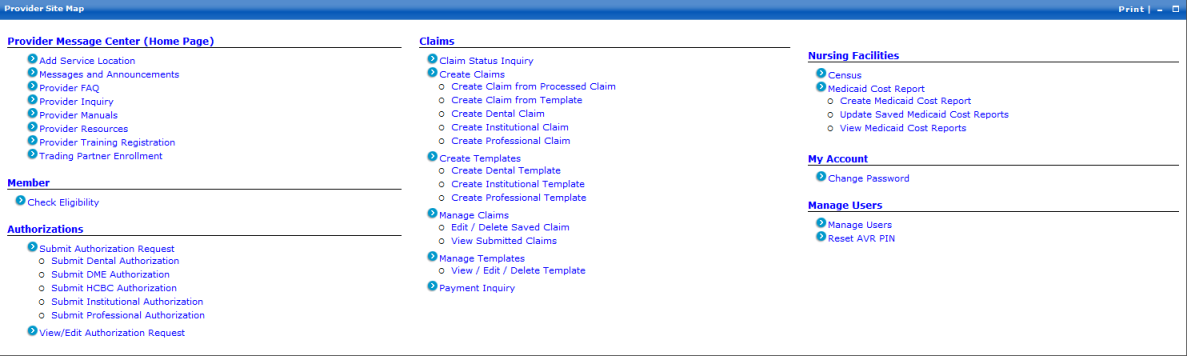
The New Hampshire MMIS Health Enterprise Portal has a site map to assist you in locating information quickly. The site map may contain links to the following sections:
- Provider Message Center (provider Home page)
- Member
- Authorizations
- Claims
- EDI (for submitting electronic claims)
- Nursing Facilities
- My Account
- Manage Users (for Organization Administrators only)
To view the site map
-
At the bottom of the page, click the Site Map link.
The Provider Site Map page is displayed.
 See image
 -
Locate the topic you are searching for and click the appropriate link.
The corresponding information page is displayed.
 See Also